
Your computer, drawn live.
FoxNode draws what your computer is doing as a live graph, explains it with a local AI, and wires your apps and accounts into automations that run on your own machine.
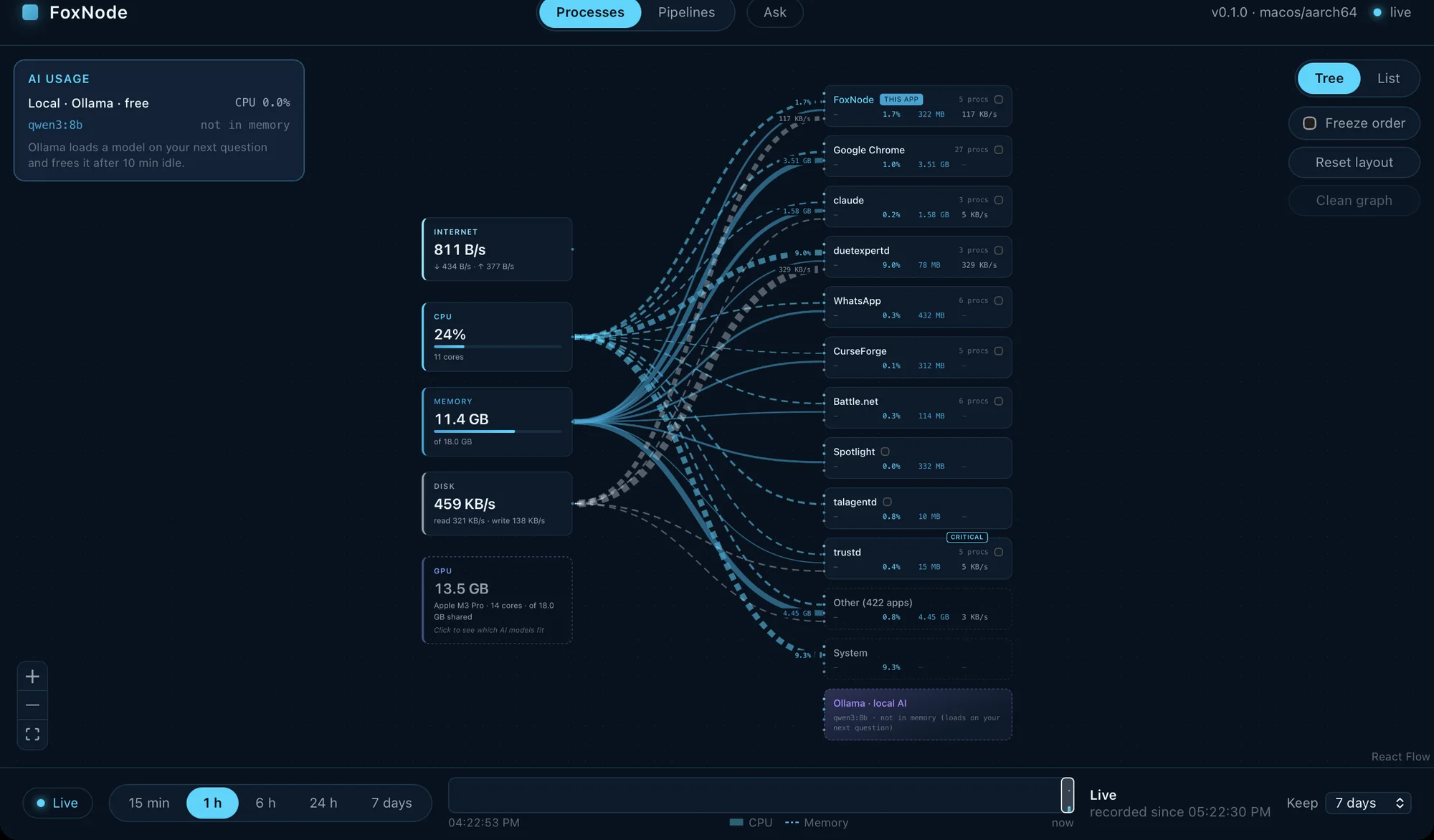
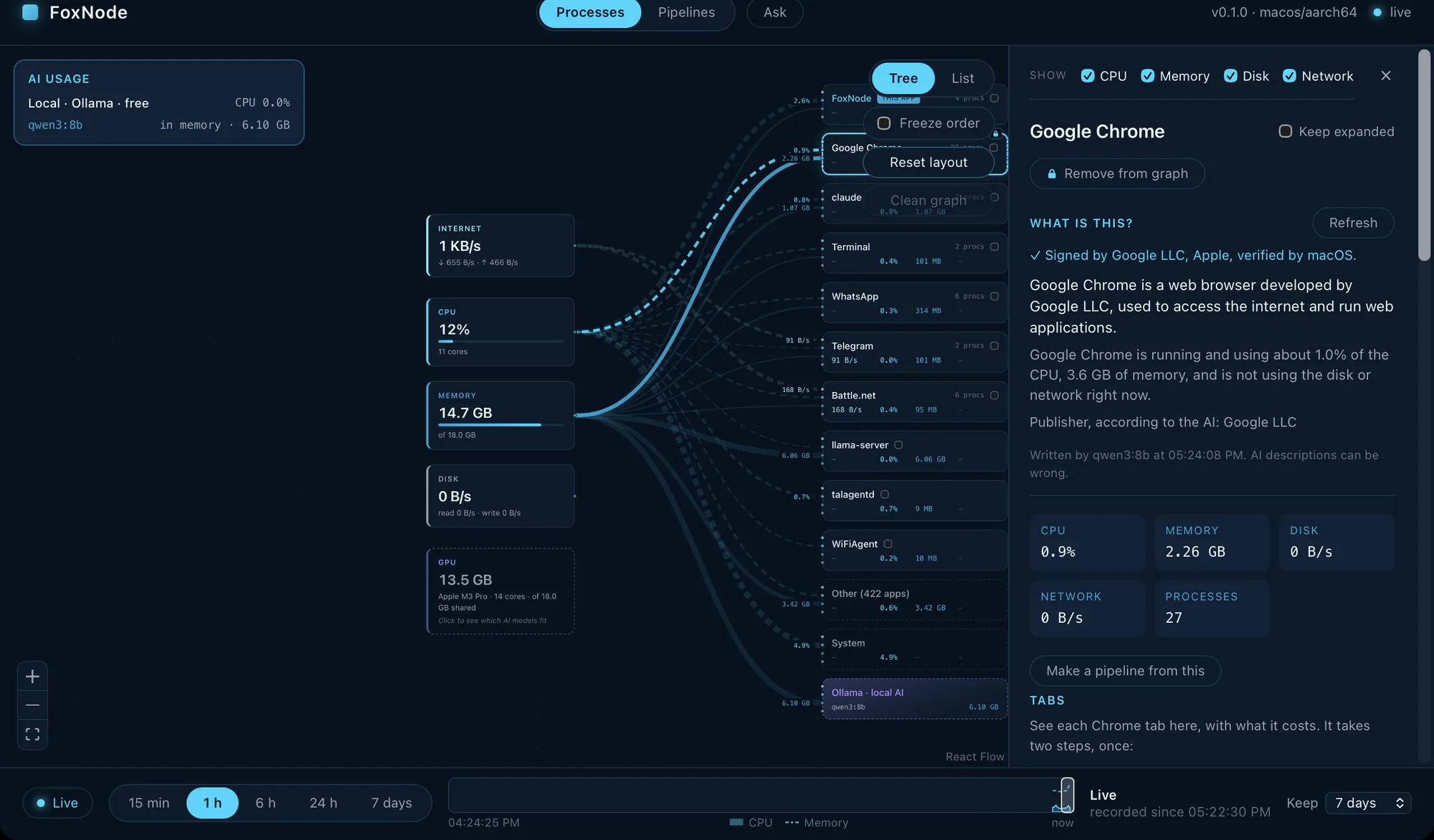
Activity Monitor gives you a table. FoxNode gives you a picture.
On the left, what your computer has: internet, CPU, memory, disk and GPU. On the right, the apps using it. A pipe gets thicker as its app takes more.
Click an app to see what it is, who signed it, and who it's talking to right now.
Drag the timeline back to see what happened ten minutes ago. FoxNode saves a summary every ten seconds.
It stays out of the way: 2.1 to 2.6% of the machine in our measurements, with large app trees open.
Wire your own automations.
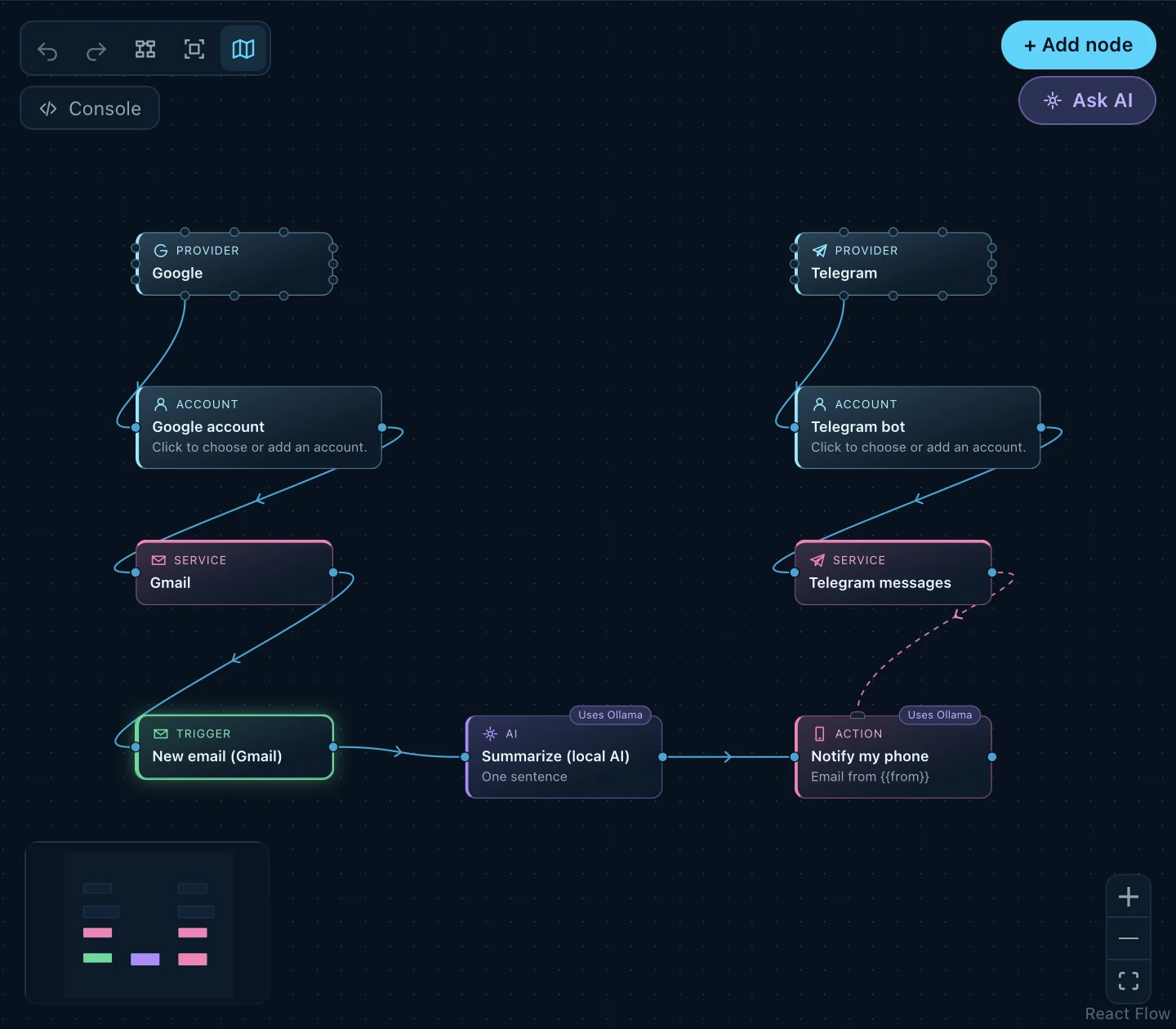
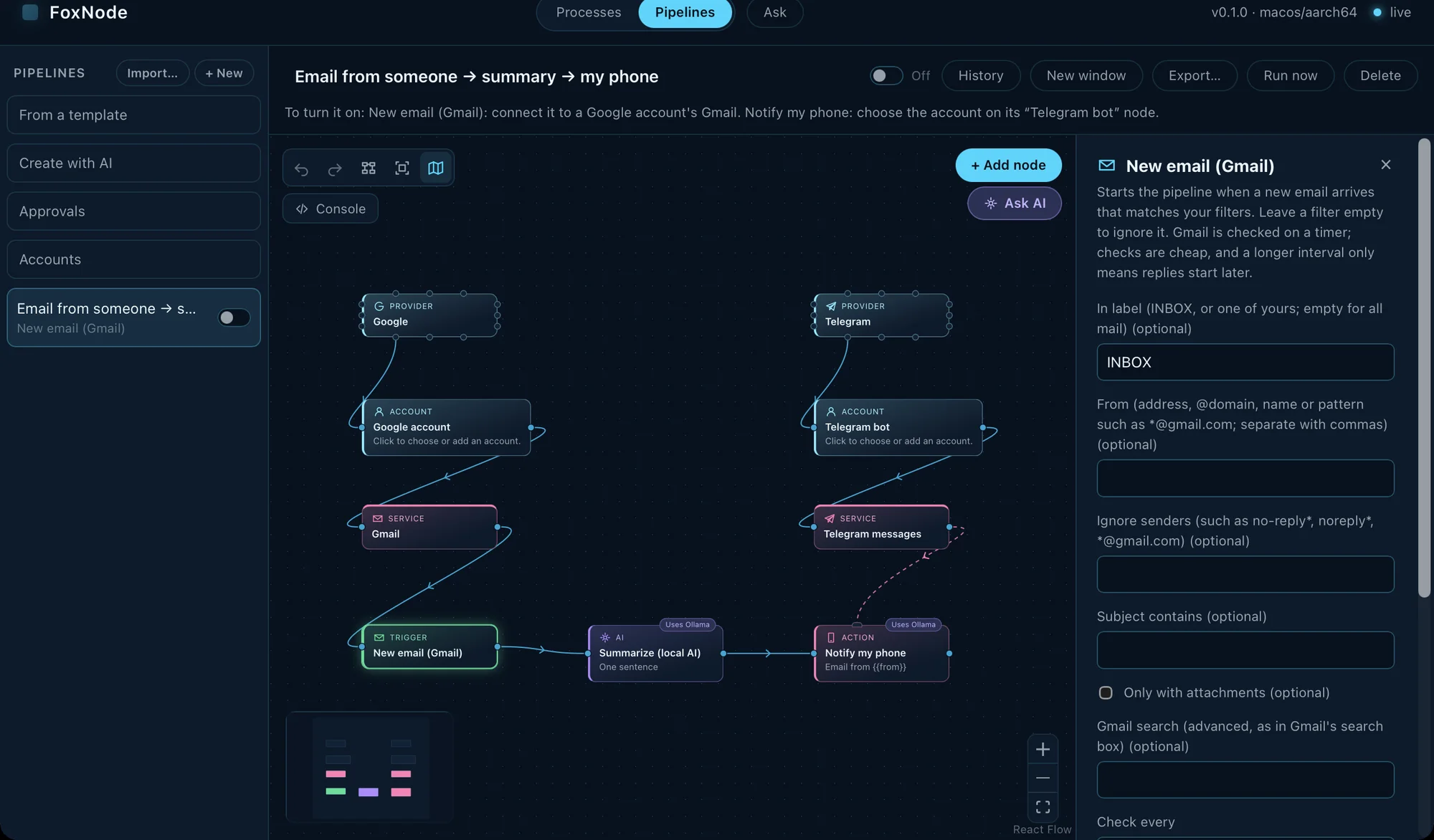
Pipelines connect a trigger to the steps that follow, like boxes wired on a canvas. Your local AI can read, summarize or sort along the way, and any step can wait for your OK. Pick an example and watch a run go through it.
Runs on this computer
Twenty services, wired in.
Plus your local AI, four cloud models, any feed or web page, MCP servers and the computer itself. Each account signs in once, and its keys stay in your system keychain.
Build one in a minute.
First, say what should happen.
Then decide which steps wait for you.
Approvals · 1 waiting
Move scan_0412.pdf to Invoices?
Finally, switch it on and watch it run.
Pipelines run on your computer while FoxNode is open. Each one starts switched off, and switching it on shows in plain words what it may do: send data out, use your accounts, change files.
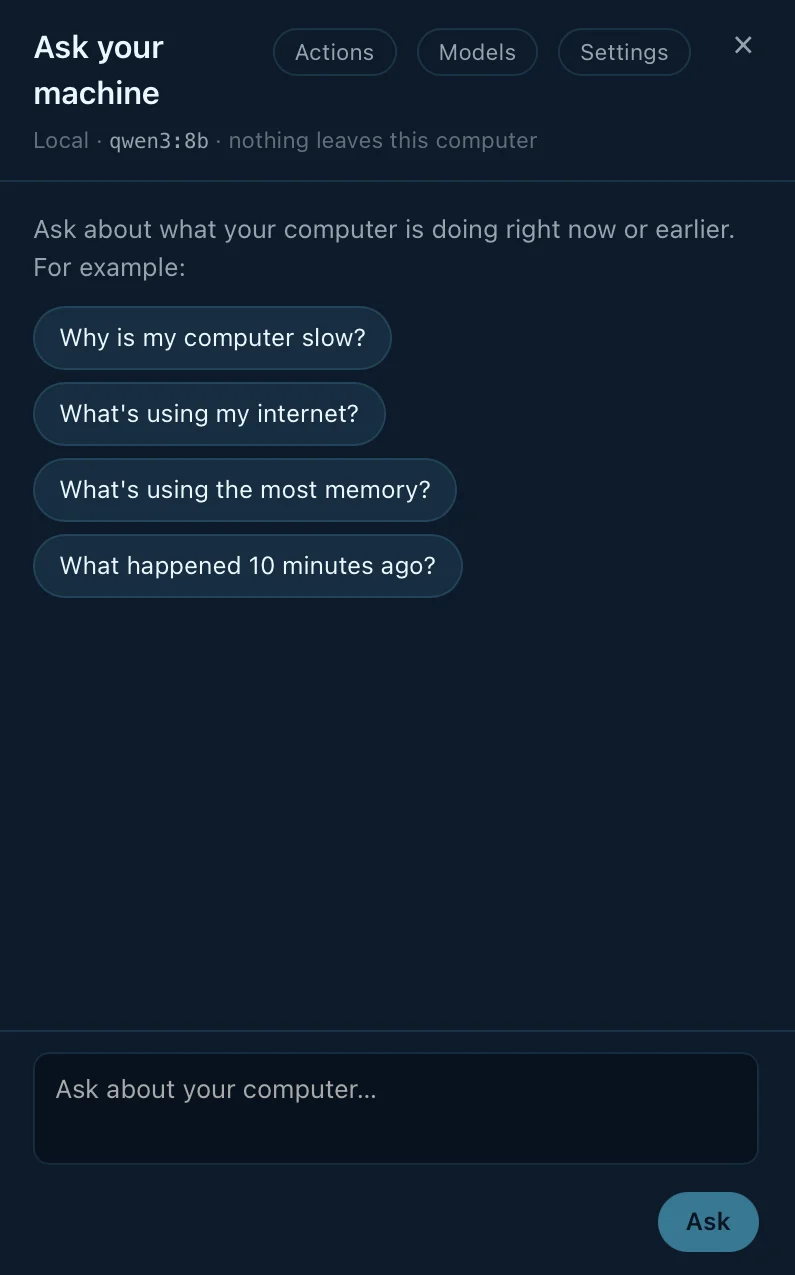
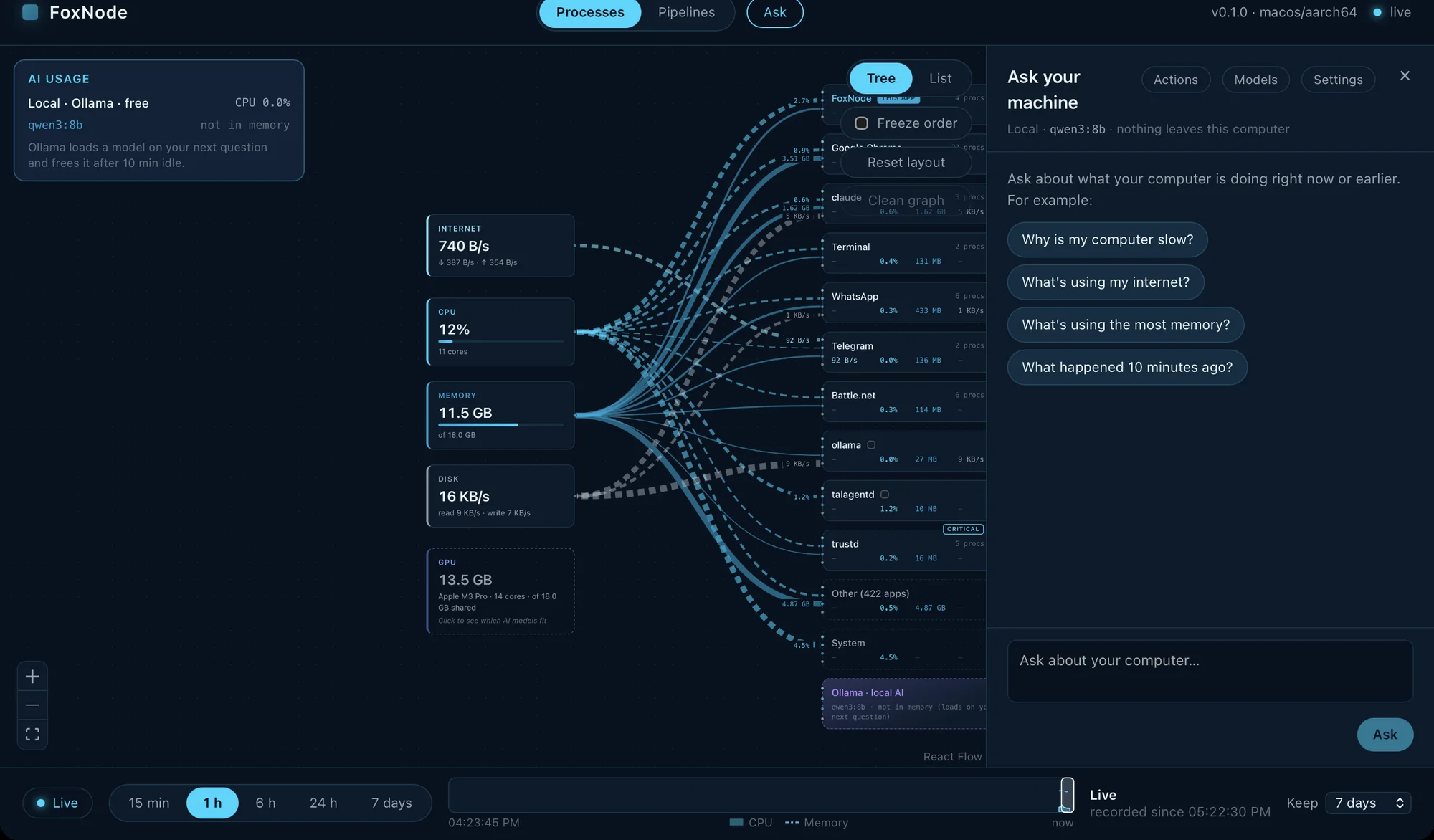
Ask why it's slow.
Type a question and a model running on your own computer answers it, from what FoxNode sees right now or earlier. It names the app, says what it is and how much it takes.
FoxNode picks the model that fits your RAM and GPU and fetches it in one click. If you want a smarter answer, you can resend the question to Claude, OpenAI, Gemini or OpenRouter, and you'll see the exact request first.
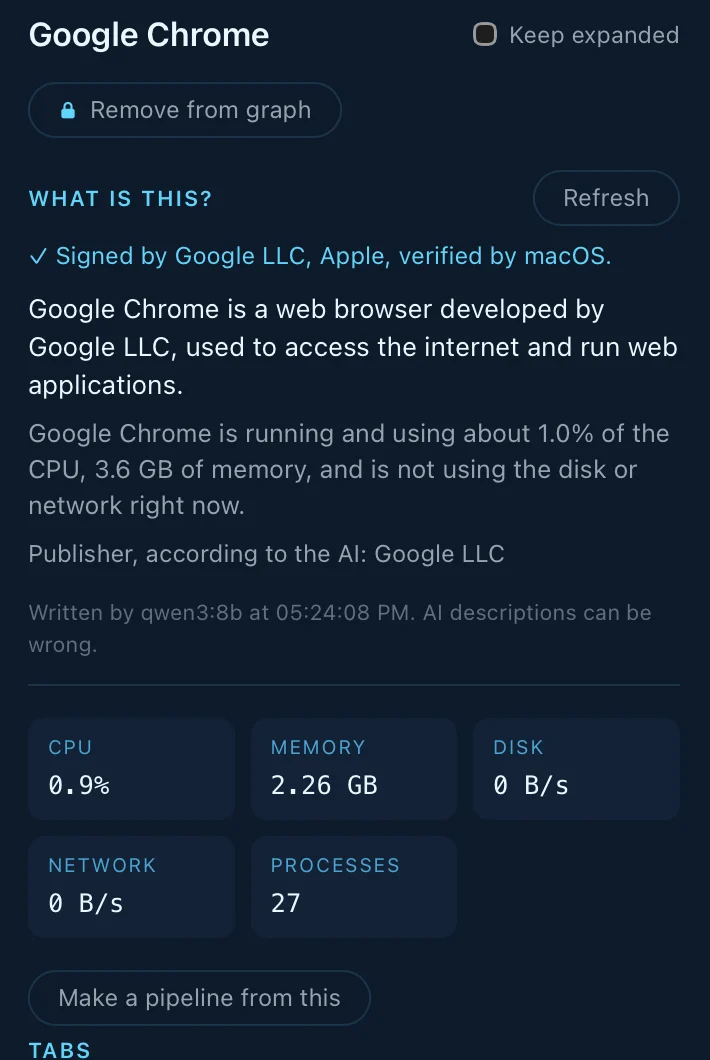
Nothing happens until you approve.
After an answer, the local AI may suggest up to three actions: quit an app, stop a startup item, or clear a known cache. Each says why, what will happen and how to undo it. Parts of macOS, FoxNode and Ollama are always refused.
It has used memory for six hours with no window open.
Undo: Reopen
How long should it remember?
50 MB at most
From our worst-case test: seven days with 21 apps in every ten-second row filled 50.2 MB. It stays on this computer, and older moments are deleted on their own.
- Telemetry
- None
- Runs on
- macOS and Windows
- Built with
- Rust, Tauri and React
What FoxNode learns about your computer stays on it. Nothing leaves until you've seen exactly what's going and clicked Send.
Never shared
- File paths
- Command lines
- Window titles
- Tab titles
- Your clipboard
- Passwords and sign-ins
- Questions to a cloud modelyou preview
- Who an app talks toyou allow
- Sites open in Chromeyou allow
- Running a pipelineyou allow
- Any actionyou approve
- Keys and sign-insyour keychain
- Common questions
No. The graph, history and local AI run on your computer. Anything you connect yourself, you see first.
No, FoxNode works fully without it. With Ollama you can ask questions, and FoxNode fetches the right model in one click.
Our budget is under 5% of the machine. Measured with large app trees open, it uses 2.1 to 2.6%.
Only the question you resend, shown to you first, with usernames, your computer's name and file paths removed.
The graph, history, Ask and pipelines run on both. Tabs, connections, actions and AI apps are macOS first.
It acts only when you click Approve, and every action has an undo. Parts of the system are always refused.
Meet your machine.
Tell us what you'd automate first, what's missing, or ask anything about FoxNode. A person reads every message.